SENJA STUDIO · SYSTEMS + SALES OPERATIONS
Building the sales infrastructure behind Senja Studio
Connecting booking, lead tracking, follow-up, and payments so a prospect has a clear path from first call to becoming a client.
A tested backend connecting lead capture, pipeline visibility, automated appointment communication, and payment readiness.
THE PROBLEM
The path behind the CTA.
A polished website and booking CTA can make a business look ready for clients while the backend is still disconnected. Senja Studio needed a clear operational path behind the CTA: somewhere for leads to land, a way to see where each opportunity stood, follow-up that did not depend on memory, and payment infrastructure ready when a prospect said yes.
The project focused on the handoffs between those pieces—not adding more software.
SYSTEM FLOW
- BOOKING→
- CRM→
- PIPELINE→
- FOLLOW-UP→
- PAYMENT
01 / BOOKING + CRM HANDOFF
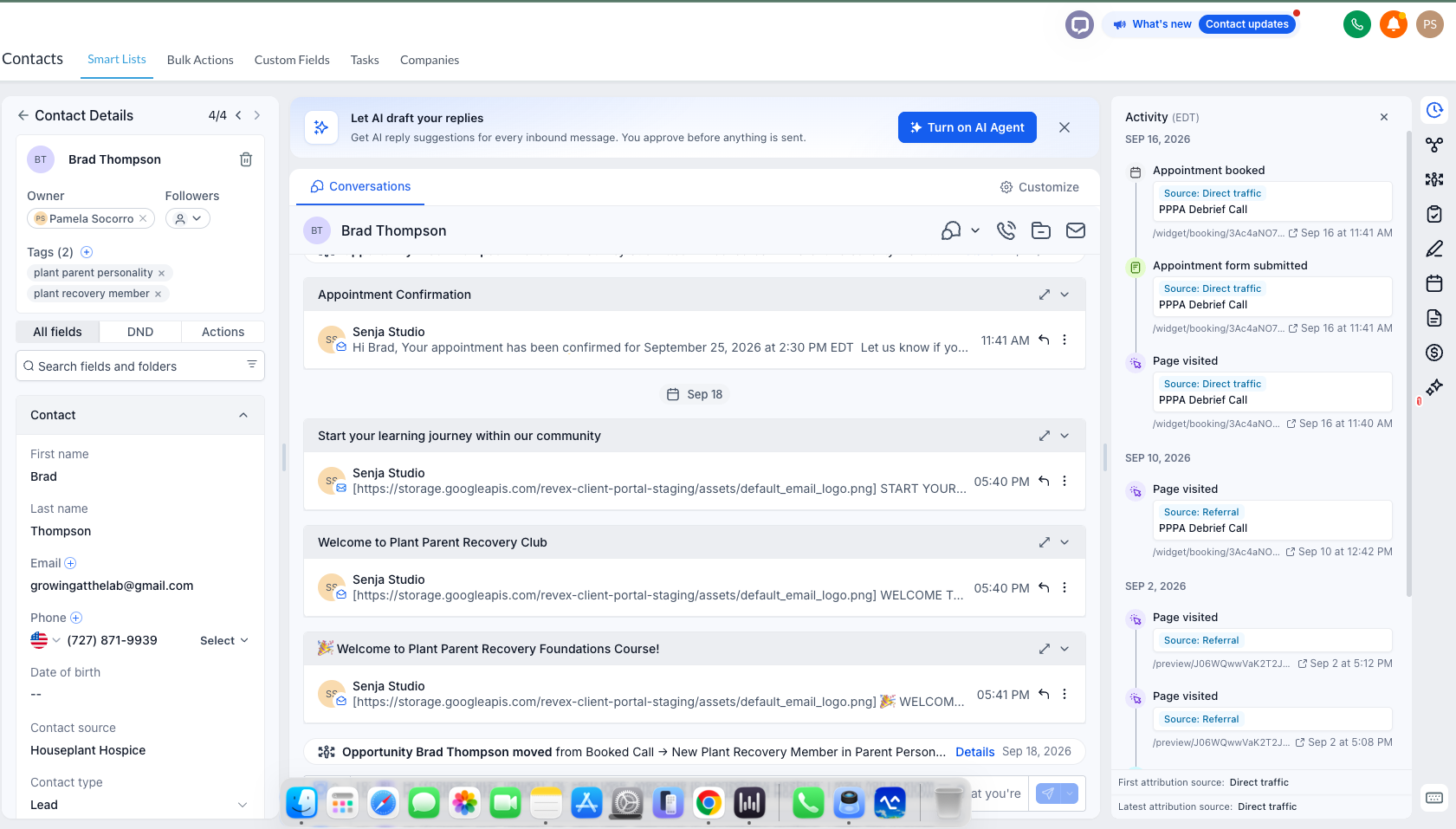
One record. A visible history.
CRM, pipeline, and reminder examples below use the PPPA demo setup within Senja Studio’s FG Funnels account. They demonstrate the configuration, not client sales results.
02 / OPPORTUNITY PIPELINE
Make the next sales step visible.
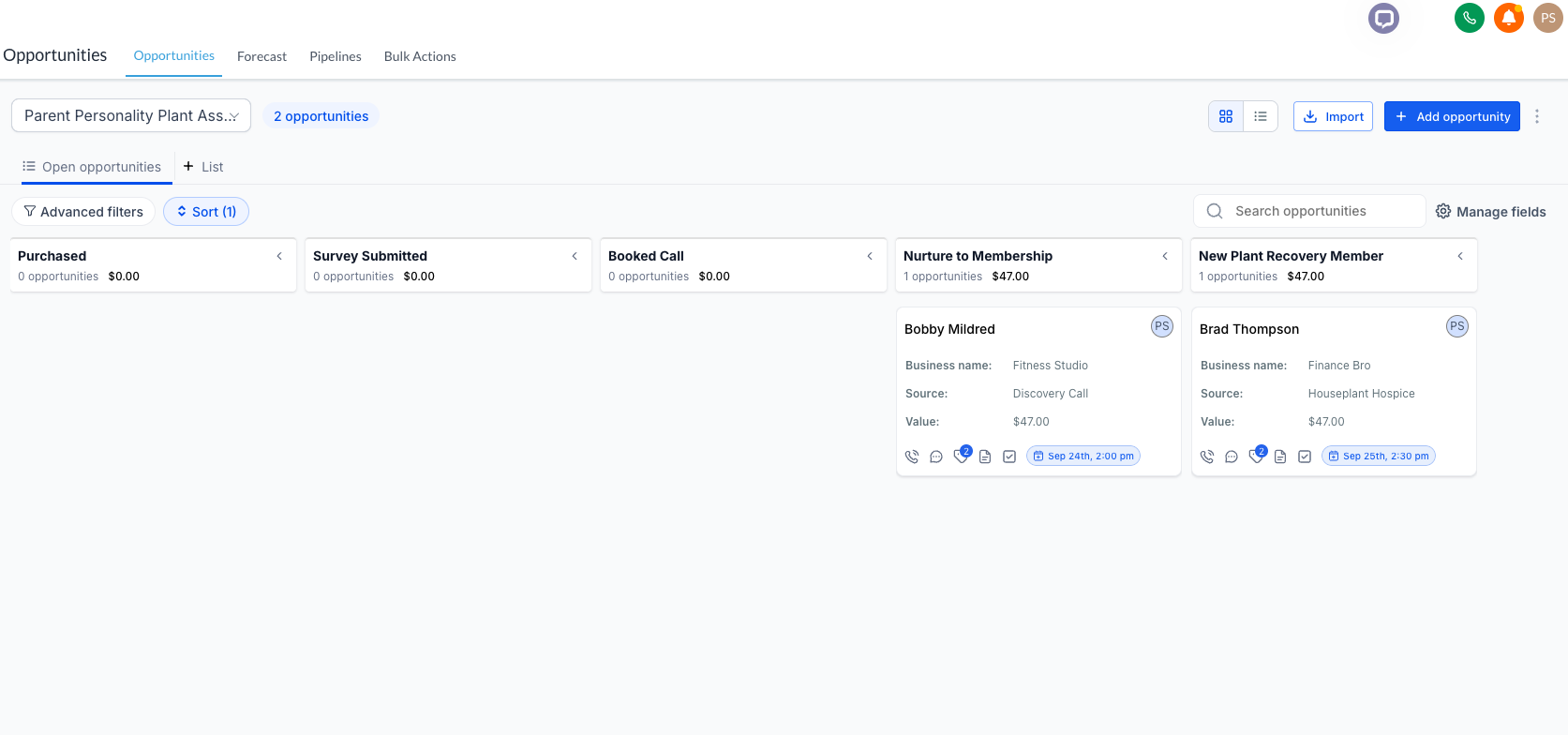
The visible $47 values belong to test/demo records. They are not business results.
03 / OPPORTUNITY SYNC AUTOMATION
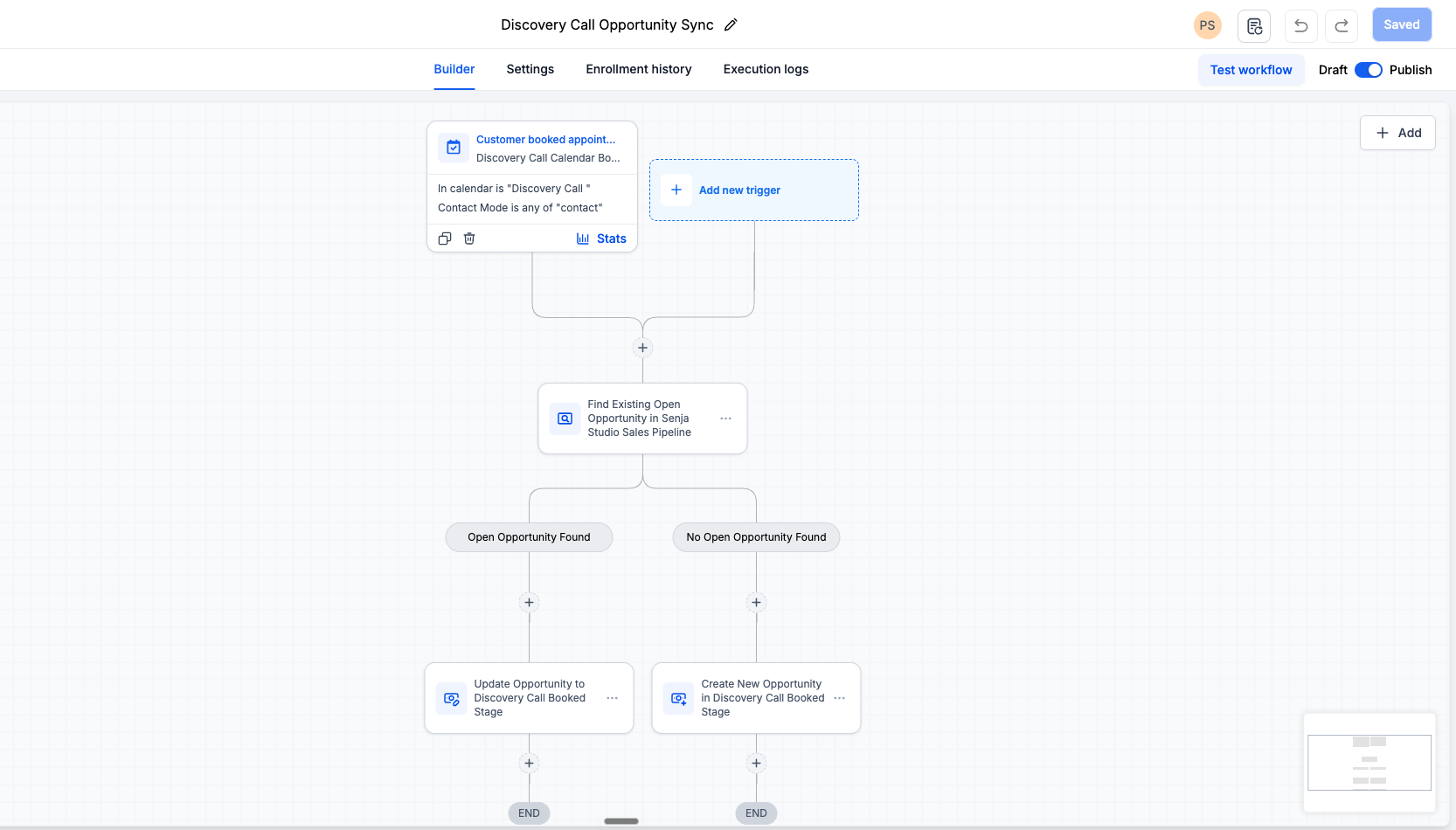
A booking moves the opportunity forward.
04 / CONFIRMATION + REMINDER AUTOMATION
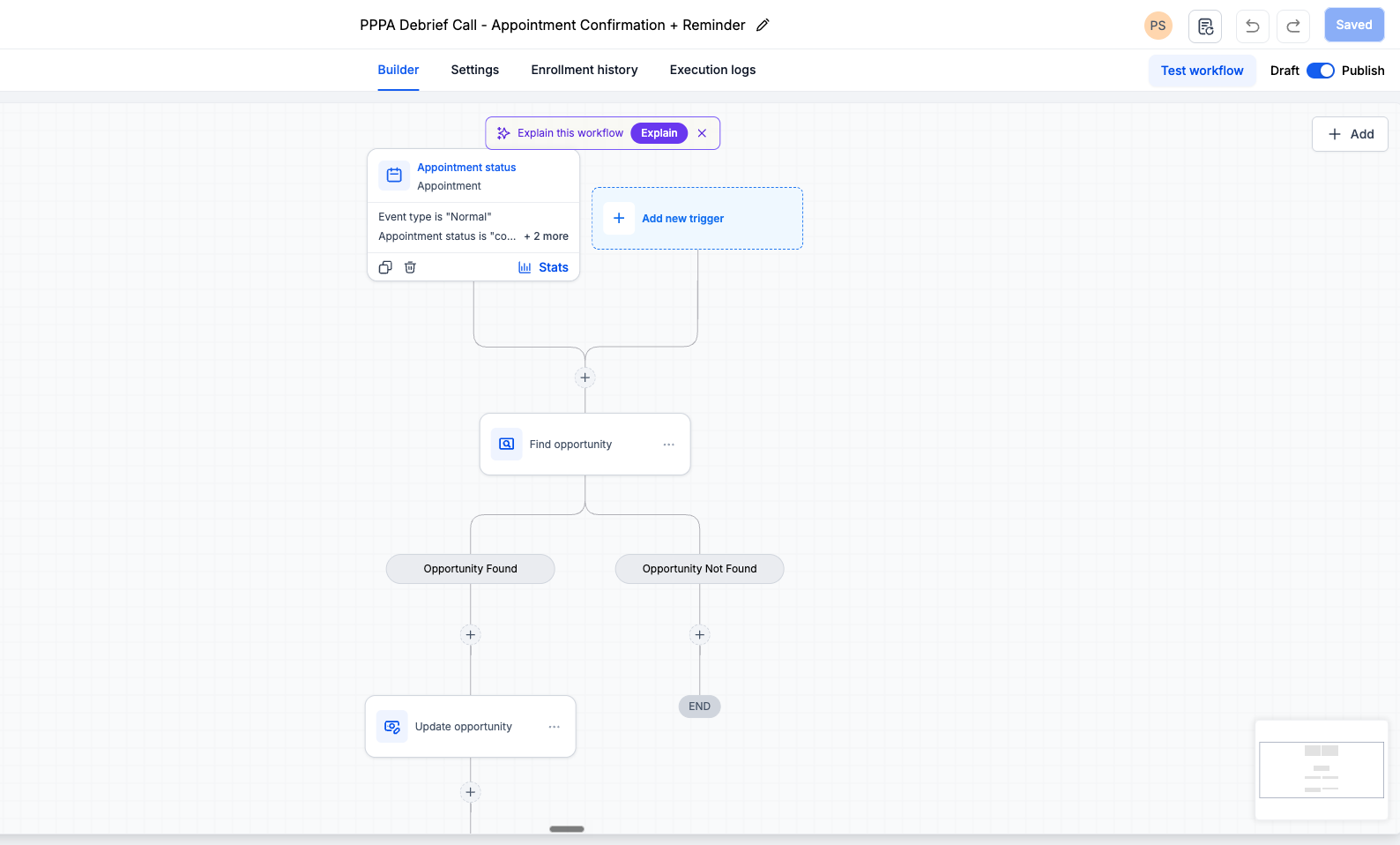
Follow-up, built into the appointment.
- Confirmation email
- 24-hour reminder email
- 1-hour reminder email + SMS
- 5-minute reminder email + SMS
01 / APPOINTMENT + OPPORTUNITY
02 / CONFIRMATION + 24 HOURS
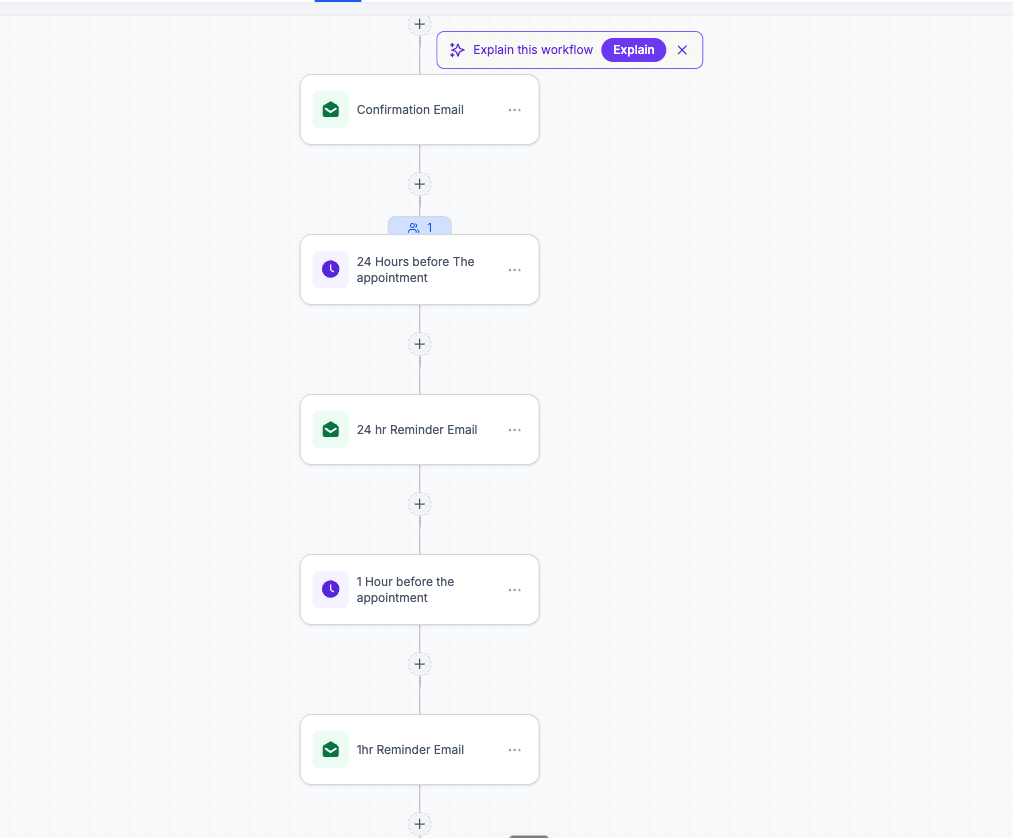
03 / 1 HOUR + 5 MINUTES
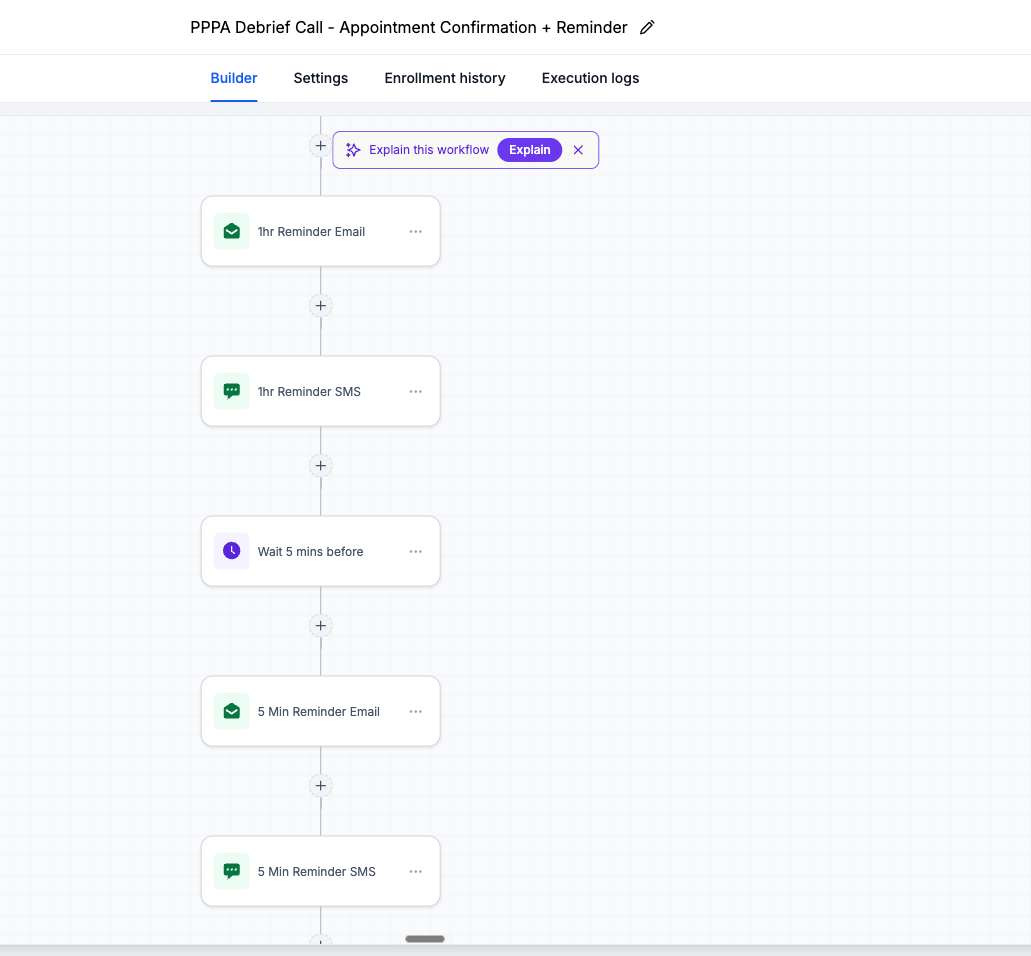
The appointment workflow handles confirmation and timed reminders automatically so follow-up does not depend on memory.
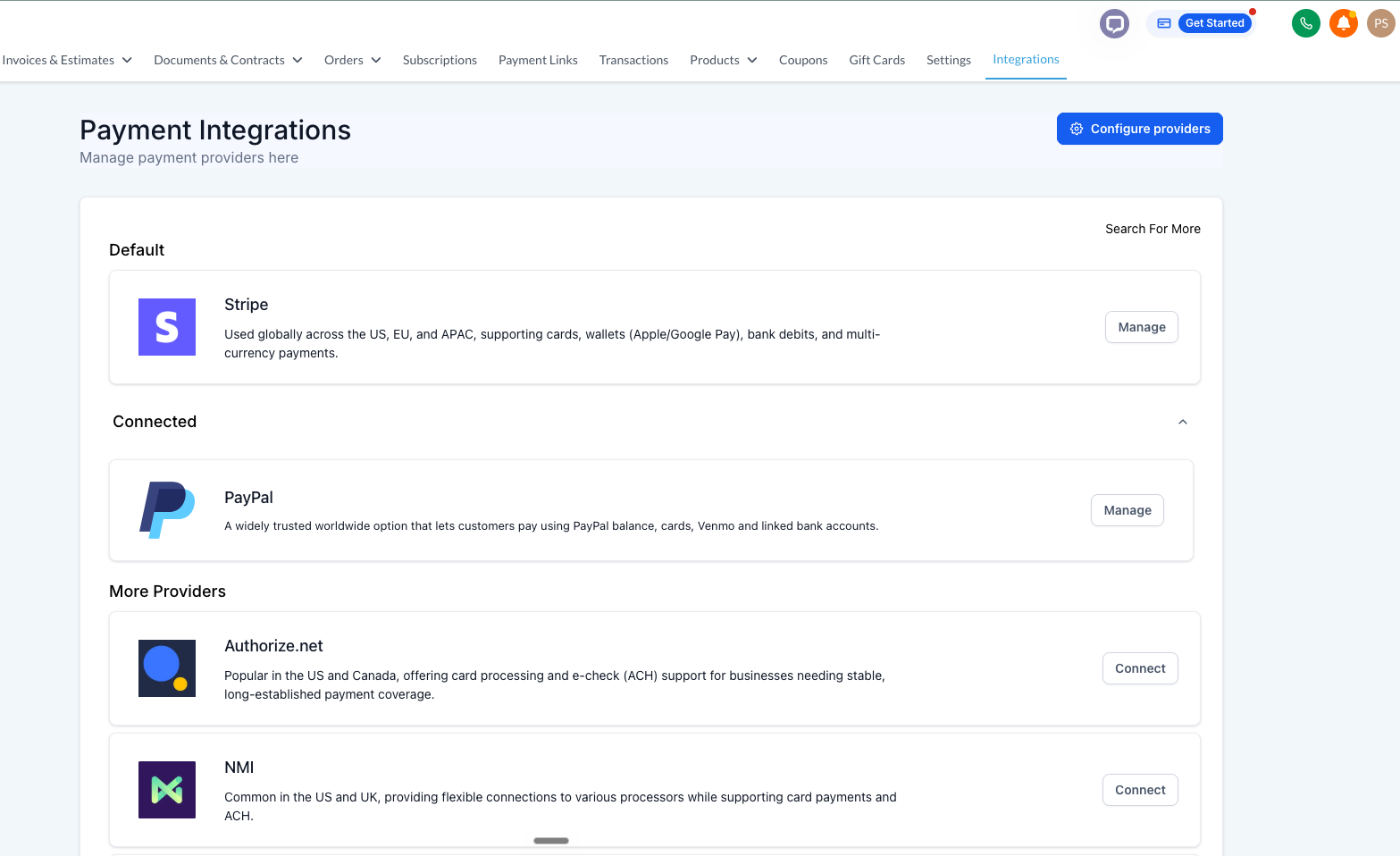
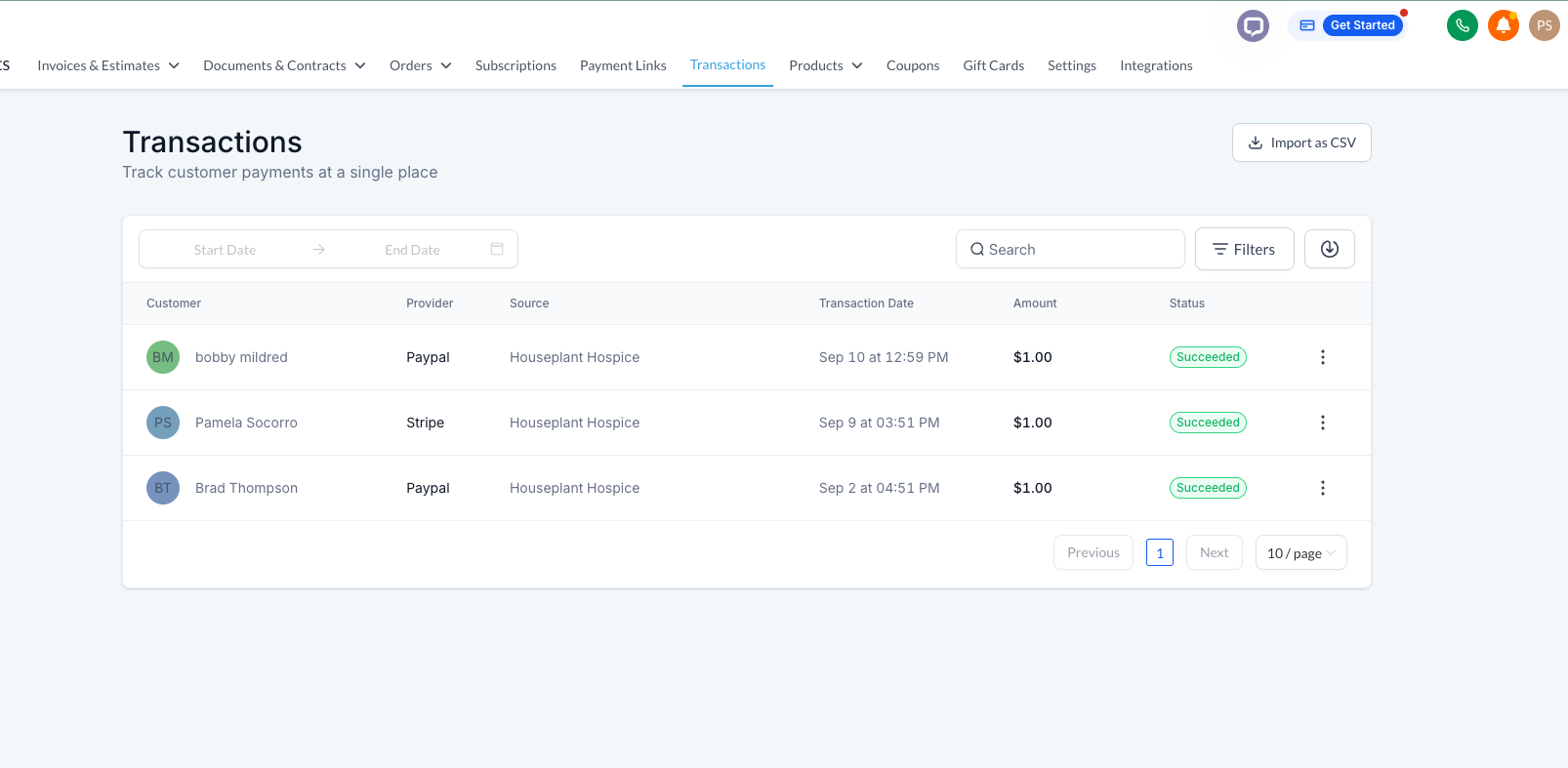
05 / PAYMENT READINESS
Ready when a prospect says yes.
THE RESULT
A usable sales backbone, not just a booking link.
The result is a tested operational path from interest to conversation to follow-up to payment. Leads are visible, handoffs are defined, appointment communication is automated, and payment processing is ready when a prospect says yes.
- CRM contact capture verified
- Opportunity pipeline verified
- Opportunity sync workflow published
- Confirmation/reminder workflow published
- Stripe + PayPal connected
- Successful test transactions verified